
App EG33 delivers a comprehensive mobile gambling environment designed for users seeking responsive sportsbook markets and interactive online casino games. Through optimized bandwidth protocols, EG33 is designed to maintain responsive loading speeds while operating on standard mobile data connections. Understanding these structural features can help registered participants establish bankroll limits while exploring different mobile gaming functions.
Core features of the app EG33
The mobile platform incorporates modern software architecture to support smooth transitions between interactive gaming options and sports wagering systems. Through app EG33, mobile users can access different gambling categories from a centralized interface without repeatedly navigating through complicated menus. Exploring these structural elements reveals how software design can affect usability and account administration for active betting participants.
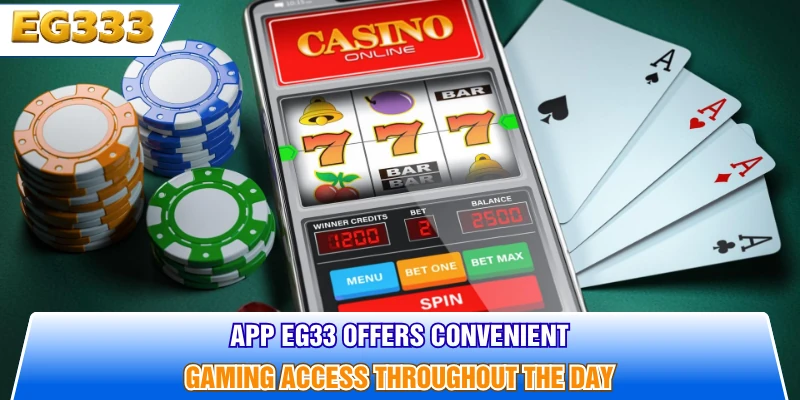
User-friendly interface design and seamless navigation across the platform
Navigating modern sportsbooks requires intuitive layouts that allow account holders to locate active betting markets within a few touchscreen taps. Clear visual menus can present upcoming cricket fixtures alongside traditional casino categories, simplifying session planning for users seeking practical sports wagering tools. On app EG33, the digital bet slip is structured to update when users select available match outcomes, allowing them to review stake information before confirming a wager.
Dashboard sorting can also make popular live matches easier to locate, reducing the time required to search through multiple sports categories. Dedicated account sections allow registered participants to monitor wagering activity, review transaction records, and manage basic preferences from their mobile devices.
System requirements and app EG33 device compatibility
Before installing a mobile wagering platform, checking system specifications helps support stable software execution and reduces potential compatibility problems. Users should compare their smartphone specifications with the latest requirements published for the app before installing or updating the software.
| System parameter | Android requirements | iOS requirements |
| Operating System Version | Android 7.0 or higher | iOS 12.0 or higher |
| Minimum RAM | 2 GB RAM | 2 GB RAM |
| Free Storage Space | 100 MB available space | 120 MB available space |
| Network Connection | 3G / 4G / 5G or Wi-Fi | 3G / 4G / 5G or Wi-Fi |
| Processor Speed | Quad-core 1.5 GHz | Apple A10 Fusion or better |
Top security protocols implemented in the app
Modern online gambling applications use data protection mechanisms intended to protect account and transaction information from unauthorized access. Within app EG33, account security measures may include encrypted data transmission, protected login sessions, and identity verification procedures.
Security measures are particularly relevant when users deposit funds, access account balances, or manage active wagers from public or shared networks. Keeping the application updated can also ensure that recent software patches and security improvements are installed on the device. Users should additionally protect passwords, verification codes, and other sensitive credentials from third parties.
How to download and install app EG33 on android & iOS
Installing the app requires users to follow the appropriate setup process for their Android or iOS device. Correct installation procedures can reduce the risk of corrupted files, compatibility problems, or potentially unsafe downloads. Users should verify that they are obtaining installation files through the platform’s legitimate distribution channel before proceeding.
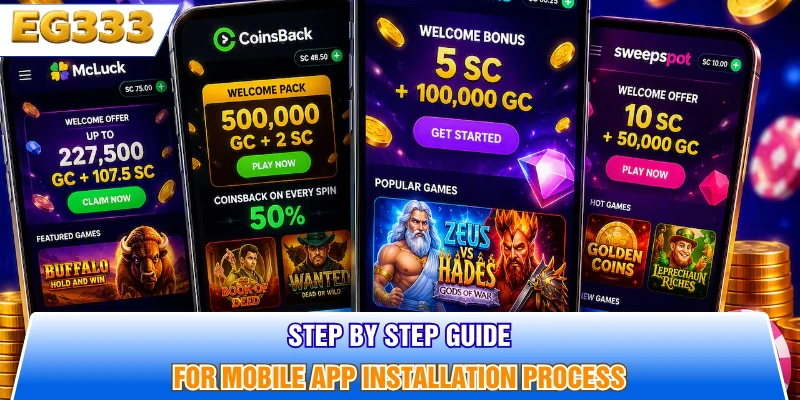
- Visit the official platform destination using a secure mobile browser on the preferred Android or iOS device.
- Locate the mobile software section and select the installation option compatible with the device’s operating system.
- If an Android installation package requires additional permissions, review the requested permissions carefully before changing device security settings.
- Run the installation package, review requested system permissions, and complete setup before launching app EG33 for the first time.
- After installation, sign in through the application and confirm that account information and available gaming sections load correctly.
Optimizing your app EG33 mobile betting experience
Customizing software parameters allows account holders to tailor system performance according to hardware limitations and mobile data plans. Properly configuring the app may reduce unnecessary battery consumption and improve the responsiveness of odds tracking during sports events. Users can also adjust notifications, favorite markets, and account preferences according to their individual betting habits.

Managing push notifications for live match updates
Configuring real-time alerts allows sports fans to receive updates about selected matches, changing odds, and other sportsbook activity. Notification settings in app EG33 can be adjusted so users receive information about preferred tournaments or sports rather than every available event.
Reducing unnecessary alerts can help limit screen clutter and background battery consumption, particularly on older smartphones. Users interested primarily in cricket, for example, can prioritize relevant competitions while disabling notifications from leagues they do not regularly follow. Alerts should be treated as informational updates rather than a substitute for evaluating wagers and personal spending limits.
Quick access to live casino games and sportsbooks
Navigation shortcuts can make it easier to switch between live casino sections and sportsbook fixtures without repeatedly returning to the main menu. Users of app EG33 can organize frequently accessed categories or markets where supported, making navigation more efficient during mobile sessions.
Personal stake limits can also be incorporated into bankroll management. Setting a predefined entertainment budget, rather than adjusting spending in response to short-term results, provides a clearer boundary for mobile gambling sessions. Stable internet connectivity and appropriate streaming settings can additionally help reduce bandwidth consumption when accessing live content.
Troubleshooting common errors during app installation
Technical installation problems can result from insufficient storage, incompatible operating systems, unstable network connections, or incorrect device permissions. If the app does not install correctly, users should first confirm available storage space and verify that their operating system meets current software requirements.
Interrupted downloads may also produce incomplete installation packages, in which case obtaining a fresh copy through the legitimate distribution source may resolve the problem. Users should avoid downloading modified application packages from unknown third-party websites. If problems persist after checking storage, network stability, and device permissions, contacting the platform’s support service is preferable to repeatedly changing security settings.
Conclusion
App EG33 provides mobile access to sportsbook markets and casino gaming functions through the EG33 platform. Following appropriate installation procedures can help participants maintain stable performance across compatible Android and iOS devices. Configuring notifications, checking device requirements, protecting account credentials, and maintaining predetermined bankroll limits can contribute to a more controlled mobile experience. Users should also review applicable local rules, platform terms, and responsible gambling resources before participating in real-money gambling activities.